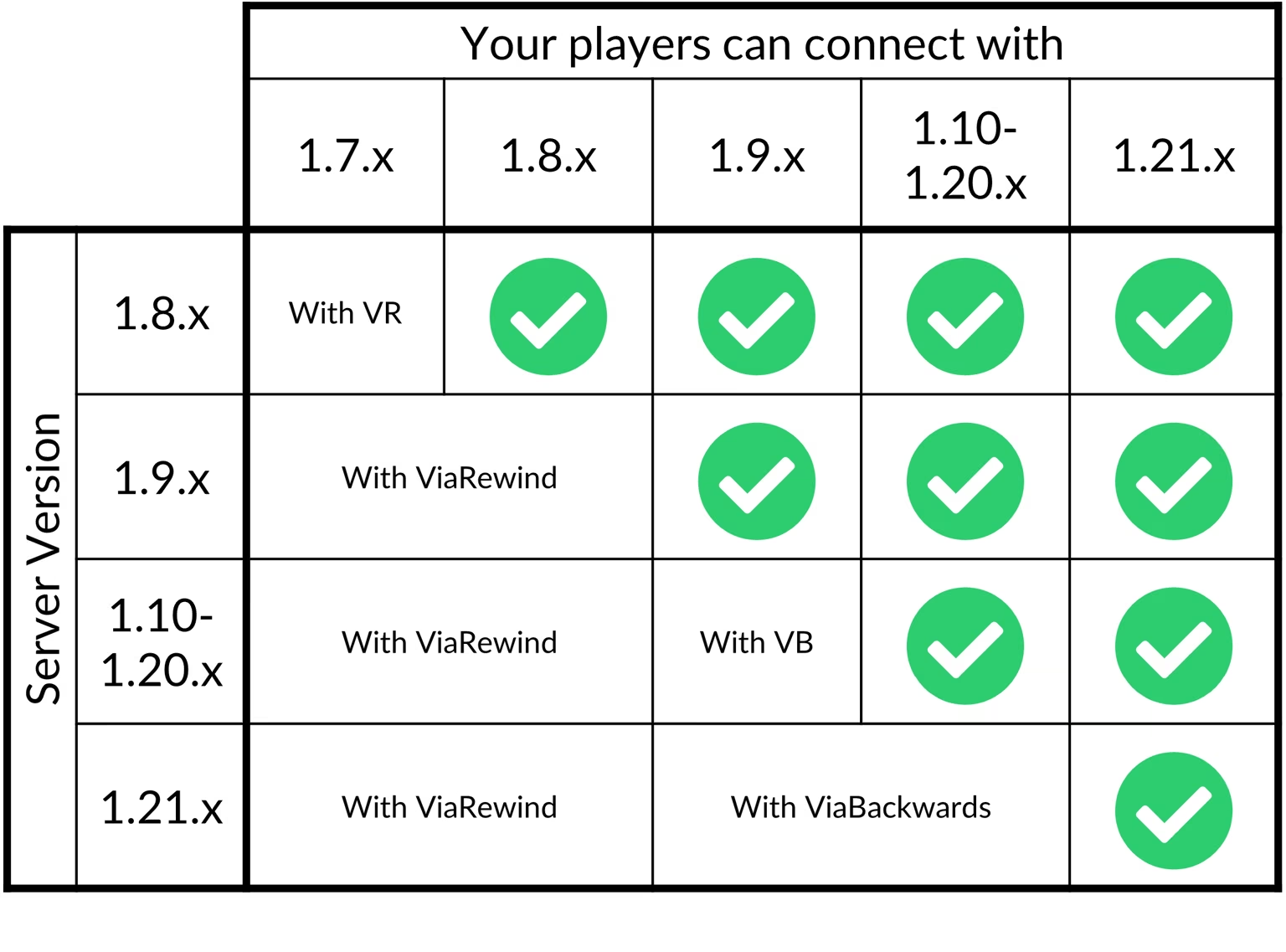
Making a Multi-Version Server
ViaVersion is an important plugin that lets your Minecraft server support multiple client versions at the same time. By using ViaVersion, players using different Minecraft versions can still join and play on your server without having to adjust their client version. This is especially useful if your server wants to keep its community large and flexible without restricting players to a single specific version.
How to Use ViaVersion
1. Open your server control panel
Go to the server control dashboard where you manage plugins and configuration.
2. Go to the Plugins menu
In the control panel, find and open the Plugins menu to manage server plugins.
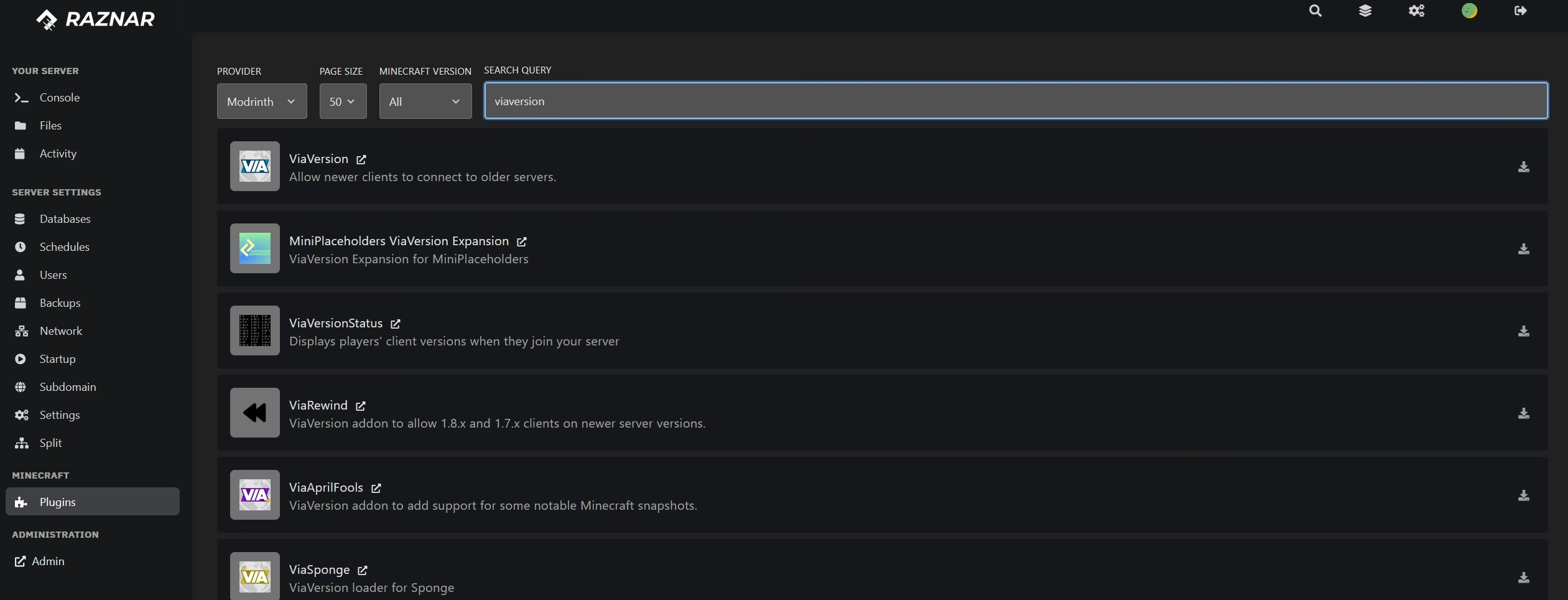
3. Choose a compatible ViaVersion plugin version
Find the ViaVersion plugin and select the version that matches your server version.
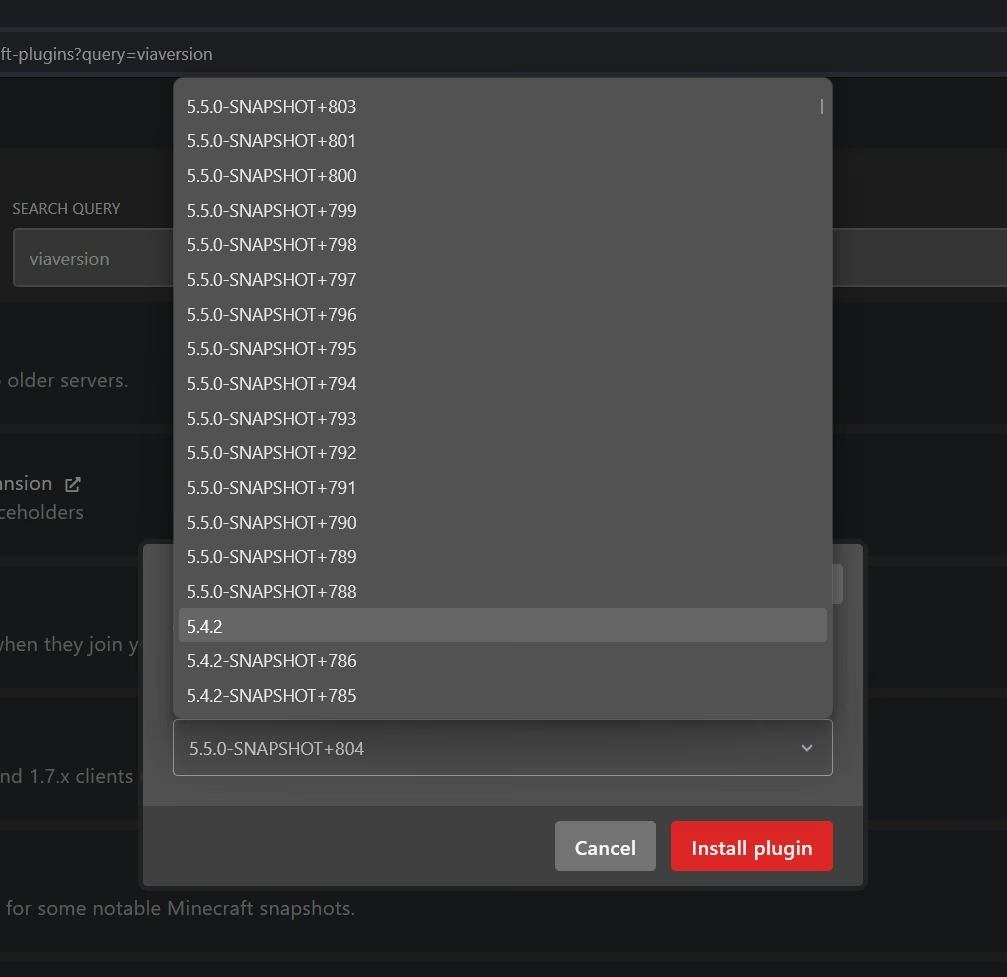
4. Click Install Plugin
Install the ViaVersion plugin by clicking the Install Plugin button.
5. Restart the server
Once the plugin is installed, do a Restart Server through the control panel so the plugin becomes active and works properly.
By following the steps above, your server will be compatible with multiple Minecraft versions, so players don't have to worry about which version they're using.