How to Renew (Perpanjang)
Raznar already lets you know when your server will expire in the console panel, so you can always remember when the server needs to be renewed. Well, here the admin will tell you how to renew it! Unlike the panel, to renew we have to go to the dedicated payment website.
Steps to Renew a Server (Method A)
1. Log in to Raznar Client Area
After you successfully log in, there will be Unpaid Invoices that are pending.
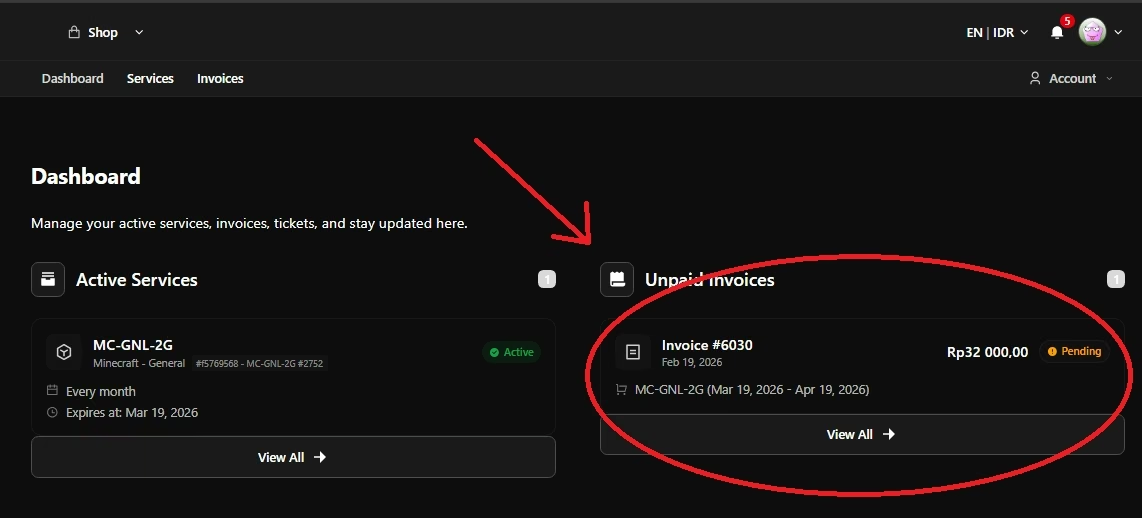
2. Payment
There will be a Payment Option, and you can just click it and then several payment methods will appear. You can choose QRIS to pay via E-Wallet like gopay, dana, etc.
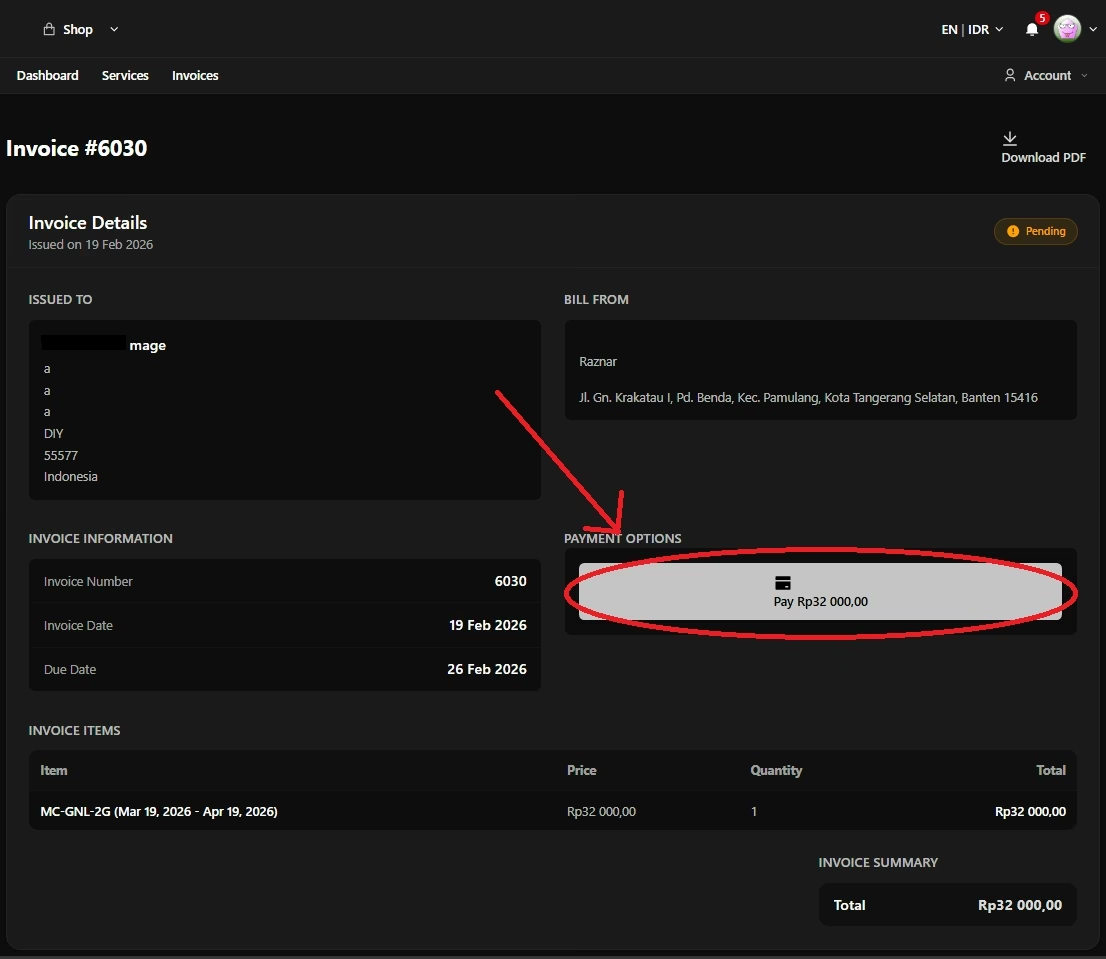
3. The Server Automatically Reactivates!
Once the payment is successfully confirmed by the system, your server's active period is automatically extended by another month (or according to the package). You're safe, you can continue playing together!
Steps to Renew a Server (Method B)
1. Log in to Raznar Client Area
After you successfully log in, select the server whose active period you want to renew.
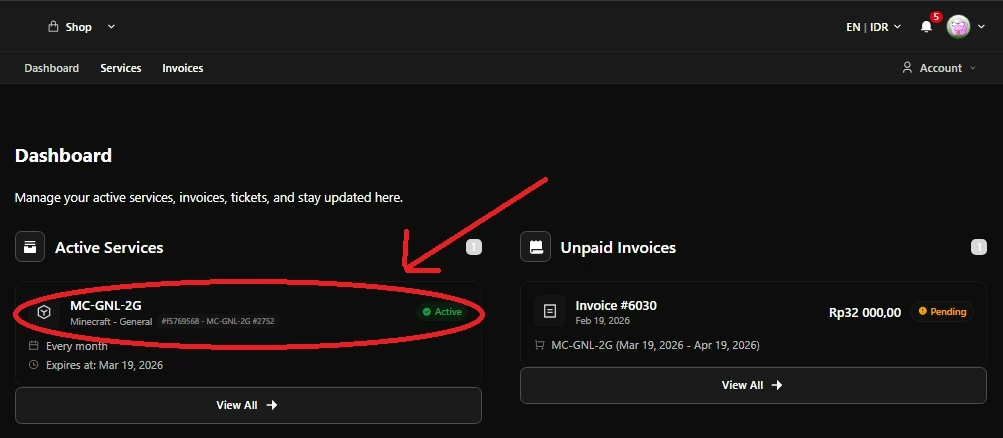
2. Generate Invoice
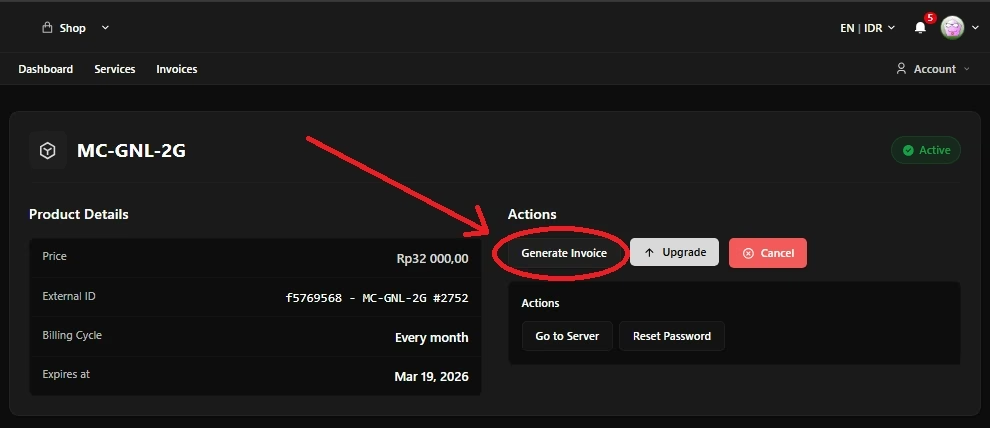
2. Choose the Active Period
You can choose how many months to renew for; once done you can directly generate the invoice.

4. Payment
There will be a Payment Option, and you can just click it and then several payment methods will appear. You can choose QRIS to pay via E-Wallet like gopay, dana, etc.
⚠️ Important Warning!
- Don't pay right at the deadline: Try to pay H-1 or H-2 before expiry.
- Suspended: If you pay late past the due date, your server will be suspended (forcibly shut down by the system).
- Data Deleted Permanently: If you pay more than 3 days late, the system will assume you're no longer continuing the subscription, so your server data including worlds, plugins, etc. will automatically be deleted by the system without exception.
So, diligently check your email or the Client Area so you don't miss it!